# Restoring your Account with Private Key

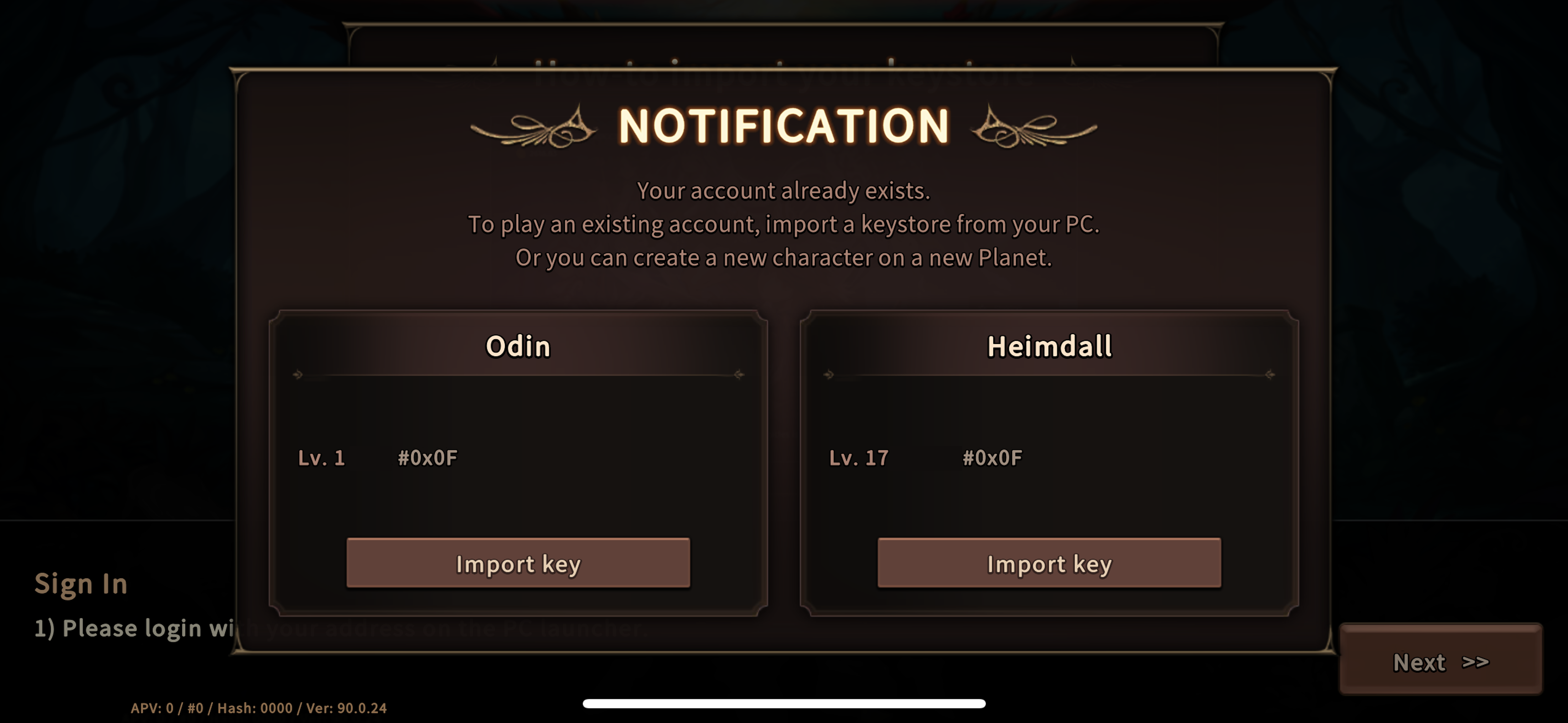
* When you restart your mobile app, the app may ask you to import your private key.&#x20;
* This guide will help you restore your account with your Private Key.
* In order to continue, please have your private key ready.&#x20;

1. Press 'Import Key'

<figure><img src="https://4131251449-files.gitbook.io/~/files/v0/b/gitbook-x-prod.appspot.com/o/spaces%2FSmtywhfKXUhbjWG1su6V%2Fuploads%2F2PKZI26KVD2XutaMhssd%2F001.png?alt=media&#x26;token=a5771fb1-7ea3-4428-b2d2-4b183498e157" alt=""><figcaption></figcaption></figure>

2. Continue with the process.

<figure><img src="https://4131251449-files.gitbook.io/~/files/v0/b/gitbook-x-prod.appspot.com/o/spaces%2FSmtywhfKXUhbjWG1su6V%2Fuploads%2FKxv6ztAe9VigjODbELkZ%2F002.png?alt=media&#x26;token=a443299a-6272-44d9-b738-5908c7800964" alt=""><figcaption></figcaption></figure>

3. Please recognize the QR code provided below.&#x20;

<figure><img src="https://4131251449-files.gitbook.io/~/files/v0/b/gitbook-x-prod.appspot.com/o/spaces%2FSmtywhfKXUhbjWG1su6V%2Fuploads%2Fdmf9oSApfLfkDfe3KmRa%2F003.png?alt=media&#x26;token=3cebc8e0-fd7b-4c41-b7a6-e8162b1b983d" alt=""><figcaption></figcaption></figure>

<figure><img src="https://4131251449-files.gitbook.io/~/files/v0/b/gitbook-x-prod.appspot.com/o/spaces%2FSmtywhfKXUhbjWG1su6V%2Fuploads%2FgkZ0cUxG6VGbLUxTneRe%2F004.png?alt=media&#x26;token=e251985b-bc61-46bb-9014-dbee79fd16f8" alt=""><figcaption></figcaption></figure>

4. From the screen below, please select 'FORGOT PASSWORD?'

<figure><img src="https://4131251449-files.gitbook.io/~/files/v0/b/gitbook-x-prod.appspot.com/o/spaces%2FSmtywhfKXUhbjWG1su6V%2Fuploads%2FdyYV3fSm5lBI403P8sLr%2F005.png?alt=media&#x26;token=5f21d9ad-3828-4f2e-a5de-e9166937003a" alt=""><figcaption></figcaption></figure>

5. Submit your Private Key in the below screen
<figure><img src="https://4131251449-files.gitbook.io/~/files/v0/b/gitbook-x-prod.appspot.com/o/spaces%2FSmtywhfKXUhbjWG1su6V%2Fuploads%2F1CyxogXg0qMzA4WpCDzb%2F006.png?alt=media&#x26;token=98720ea0-1ec5-42e7-987d-8c83eb556ca8" alt=""><figcaption></figcaption></figure>